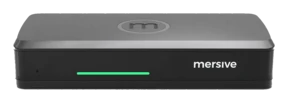
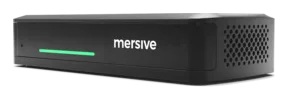

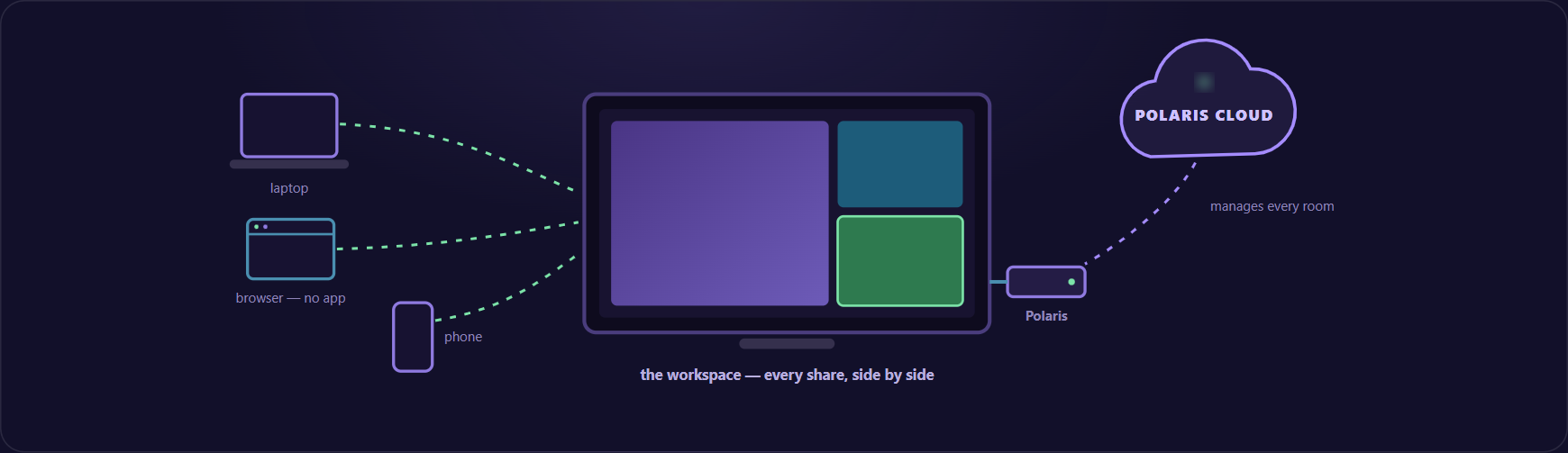
Screen mirroring is easy to demonstrate and surprisingly hard to standardize. At home, success can mean getting one phone onto one TV. In a business, the same action has to work across meeting rooms, employee devices, guest devices, network segments, security policies, and support teams. 'Can this screen mirror?' is the easy question. The harder one: 'Can people share confidently in every room without creating a new management problem?'
This guide explains how screen mirroring works, how it differs from casting and screen sharing, what changes in an enterprise deployment, and how a room-centered collaboration platform can turn a single mirrored screen into a more productive shared workspace.
- Screen mirroring for business is the managed, wireless presentation of device content on a room display, with the access, security, compatibility and administration controls required for repeatable use.
- Mirroring, casting and screen sharing describe related but different behaviors, and the distinction matters when you design a meeting experience.
- Device diversity, guest access, network boundaries, multi-person workflows and fleet management are what make a business deployment different from a phone and a TV.
- Secure mirroring means identity, network architecture, session control, data handling and administration evaluated together.
- Mirroring gets content onto glass. A shared workspace decides what the room lets people do once it arrives.
What is screen mirroring for business?
Screen mirroring displays the visual content from one device on another screen, usually in real time. The receiving screen follows the source device: open a presentation, switch to a spreadsheet, or move a window, and the room display reflects that change.
Wireless screen mirroring removes the cable between the source and the display. The participant connects through a supported native protocol, browser experience, application, or room system. For a business, however, the experience includes more than the wireless connection. It also includes how users find the room, how guests join, what the network allows, how the session ends, and how administrators manage the room fleet.
Screen mirroring for business is the managed, wireless presentation of device content on a room display, with the access, security, compatibility, and administration controls required for repeatable use across an organization.
Screen mirroring vs. casting vs. screen sharing
The terms are often used as if they mean the same thing. They describe related behaviors, but the distinction matters when you design a meeting experience.
- Screen mirroring. What usually happens: The room display follows the source device's screen. Typical business use: Present a deck, document, design, application, or live workflow.
- Casting. What usually happens: A device sends or hands off media to a receiver, sometimes while retaining playback control. Typical business use: Play approved video or media on a larger screen.
- Screen sharing. What usually happens: A user shares a screen, application, tab, or file into a meeting or collaboration session. Typical business use: Share content with in-room and remote participants.
One product may support more than one of these experiences. What matters is whether the chosen method fits the room, the users, and the workflow. A protocol that is convenient for an employee on the corporate network may not be the best path for a guest. A video-meeting share may reach remote participants but not create the in-room experience the team needs.
Why business screen mirroring is different
Consumer casting starts with a person and a nearby screen. Enterprise collaboration starts with an operating model. The room must remain understandable even as devices, networks, and meeting types change.
01Device diversity is normal
Most organizations support a mix of Windows, macOS, iOS, Android, and Chrome-based devices. Employees may have managed laptops, while agencies, customers, and contractors arrive with devices outside the company's control. A business-ready design gives those users a clear route to the display without assuming a single operating system or personal account.
02Guests cannot be treated as exceptions
A room that works only for managed employees creates friction at exactly the moment an external participant needs to present. Guest access should be intentional: easy to explain, bounded by policy, and designed around the network conditions visitors actually encounter.
03Networks have boundaries for a reason
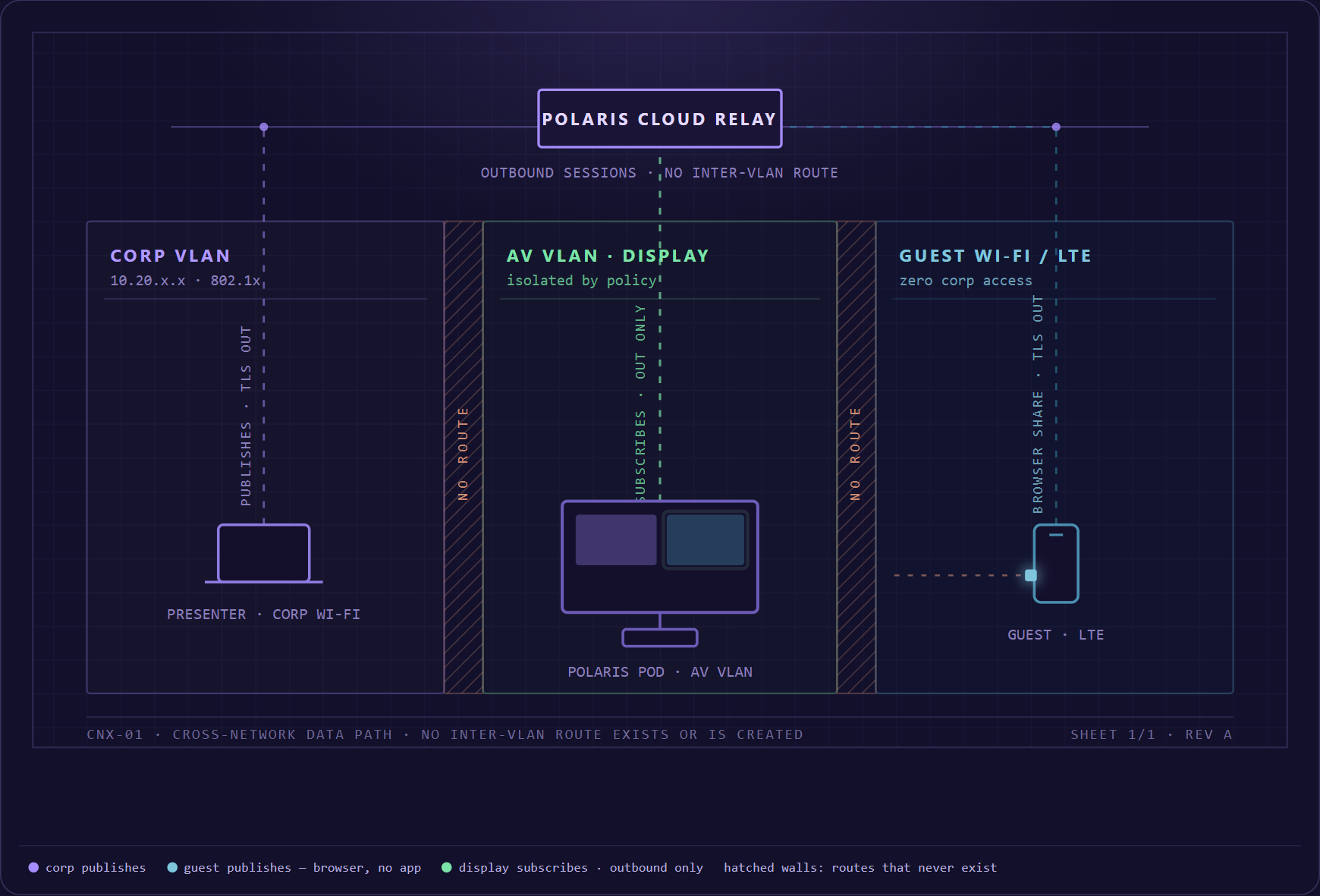
Device discovery is often simplest when the source and receiver share a local network. Businesses may separate employees, guests, rooms, and building systems across different segments. The collaboration design must account for those boundaries without quietly asking network teams to undo them.
04Meetings are multi-person workflows
Traditional mirroring replaces the previous source when a new presenter takes over. That is adequate for a lecture. It is less effective for comparing proposals, reviewing designs, or making a decision from several data sources. A shared workspace can keep multiple contributions visible and make switching less disruptive.
05The room is part of a managed fleet
At ten rooms, people can troubleshoot by walking down the hall. At hundreds of rooms, IT and AV teams need repeatable configuration, visibility into room health, controlled updates, and a consistent user experience. The management model becomes as important as the connection method.
What makes screen mirroring secure?
Secure screen mirroring results from choices made across identity, network architecture, session control, data handling, room configuration, and administration. Security teams should evaluate the complete path from the source device to the room display and, where applicable, to the cloud management plane.
- Authorized participation: Define who can start or join a session and how the room confirms that a person is targeting the correct display.
- Network fit: Document how discovery, media, signaling, and management traffic behave across employee, guest, and room networks.
- Session privacy: Make it obvious when sharing is active, what is visible, who can control the workspace, and how the session is cleared when the meeting ends.
- Administrative control: Use role-based access, configuration standards, update policies, and auditable management practices appropriate to the deployment.
- Data handling: Understand what content, metadata, logs, and identifiers are processed, where they travel, and how long they are retained.
- Physical-room safeguards: Pair the technology with display placement, room access, privacy expectations, and user training for sensitive meetings.
The correct answers depend on an organization's risk profile. A training room, executive boardroom, classroom, and public collaboration space may use the same platform with different policies.
From one mirrored screen to a shared workspace
Screen mirroring solves the first problem: getting content onto glass. Collaboration asks a larger question: what should the room let people do once content arrives?
Mersive Polaris treats the display as a shared workspace hosted by the room, not as a passive endpoint owned by the last laptop to connect. That framing is valuable because it separates contribution from control. Participants can bring content from different devices while the room maintains one visual workspace for the group.
For Mersive Polaris, the intended experience combines flexible ways to join, a multi-source room workspace, and centralized cloud management. Native sharing can serve familiar device workflows. Browser-based participation can provide another entry path when an approved deployment supports it. The room can then organize contributions for comparison and discussion instead of forcing a sequence of disconnect-and-reconnect handoffs.
This is the difference between making a display wireless and making a room collaborative. The first removes a cable. The second reduces the effort required for a group to see, compare, and act on information.
Native sharing or browser-based sharing?
Neither path is automatically right for every participant. A strong room design offers clear choices and explains when to use each one.
- Use a supported native sharing method when the user's device and network are already compatible and the familiar operating-system flow is the fastest path.
- Use browser-based joining when the deployment permits it and a guest or segmented-network scenario makes local discovery impractical.
- Use the approved meeting-platform workflow when remote participants must receive room audio, video, and shared content through the organization's conferencing standard.
The room interface should make these options easy to recognize. Users should not need to understand network topology to make a presentation appear on the correct display.
A screen-mirroring checklist for IT and AV teams
Before standardizing a wireless screen-mirroring platform, test the experience as a user, an administrator, and a security reviewer.
- User entry: Can an employee or guest understand how to share within a few moments of entering the room?
- Device coverage: Which operating systems, browsers, native protocols, resolutions, and media types are supported in the proposed configuration?
- Guest workflow: Can an external presenter share without receiving broad network access or installing unapproved software?
- Multiple contributors: Can the room support comparison, discussion, and handoff without erasing useful context?
- Room compatibility: How does the solution work with existing displays, cameras, microphones, audio systems, and meeting platforms?
- Security model: Are identity, encryption, data handling, session cleanup, administrative roles, and update responsibilities documented?
- Fleet management: Can administrators deploy policies, monitor status, and manage updates consistently across locations?
- Operational evidence: Can the vendor demonstrate performance in the organization's real network and room conditions?
How to plan a business deployment
- Map the room portfolio: Group rooms by size, purpose, AV equipment, network zone, and meeting model.
- Define participant journeys: Test employees, guests, remote participants, and support teams separately.
- Set security requirements: Agree on access, data handling, logging, identity, network, and update controls before product selection.
- Pilot representative rooms: Include the hardest room and network conditions rather than only a perfect demonstration space.
- Measure the workflow: Track time to first share, failed connections, help-desk demand, meeting interruptions, and participant feedback.
- Standardize and govern: Publish simple room instructions, assign platform ownership, and review configuration and performance over time.
A pilot should prove both usability and manageability. If a platform is easy for a presenter but difficult to govern, it will not scale cleanly. If it is secure on paper but confusing in the room, users will find workarounds.
Where Mersive Polaris fits
Mersive Polaris is being shaped around a straightforward promise: turn meeting-room displays into shared workspaces that people can join through flexible, approved sharing paths and that administrators can manage from one cloud experience. The platform connects three layers - the display, the collaborative workspace, and the cloud management plane - into one room-to-fleet model.
For buyers, the important next step is to validate that model against real rooms: mixed devices, employee and guest networks, hybrid-meeting workflows, security requirements, and the existing AV fleet. Product selection should follow evidence from that environment, not a perfect demo on an isolated network.
Is screen mirroring the same as screen sharing?
Not always. Screen mirroring normally reproduces a source device's display on another screen. Screen sharing may send a screen, window, tab, or file into a collaboration or conferencing session. Products can support both, so buyers should evaluate the actual workflow rather than rely on the label.
Can screen mirroring work without installing an app?
It can, depending on the platform, device, browser, network, and approved deployment. Native operating-system protocols and browser-based joining can reduce installation requirements. Mersive Polaris is designed to work with no app installation at all: participants can share straight from a web browser such as Chrome, Firefox, or Edge. Confirm the exact supported combinations before standardizing the experience.
Can guests mirror a screen from a different network?
Some enterprise platforms are designed to support guest or cross-network contribution, but the workflow and prerequisites vary. Security and network teams should validate how discovery, signaling, content, identity, and policy operate in the proposed design. Mersive Polaris supports cross-network sharing, so a guest on the guest network can share to the room display without changing networks or opening a VPN.
Can multiple people share at the same time?
Most screen-sharing solutions only show one source at a time: a new share replaces the last. Mersive Polaris - like its predecessor, Mersive Solstice - is among the few that can present multiple sources together in a common workspace. Verify the supported number and type of simultaneous sources, layout controls, content resolution, audio behavior, and performance for the selected product configuration.
What is the best screen-mirroring solution for a business?
The best fit is the one that performs reliably across the organization's devices, rooms, networks, security policies, and meeting types while remaining understandable to users and manageable for IT and AV teams. A representative pilot is the most reliable way to compare options.