
Digital signage for business turns screens into a managed communication channel. Instead of leaving a lobby display, corridor screen, or meeting-room TV dark, an organization can show approved welcome messages, wayfinding, workplace information, dashboards, campaigns, and room instructions. A cloud platform adds a central place to organize and manage that experience across locations.
The buying decision covers more than how content looks. It also covers where the displays live, who controls them, how content is governed, what happens when a meeting begins, and whether IT can operate the system as part of a larger technology fleet.
- Digital signage for business is a managed system for publishing approved visual information to workplace or customer-facing displays, usually through a cloud platform.
- The buying decision covers more than how content looks: where the displays live, who controls them and how content is governed.
- Meeting-room displays deserve special attention because signage has to yield the moment the room is used for work.
- Nine capabilities separate a workable cloud signage platform from a slideshow: fleet fit, content scope, meeting handoff, fleet visibility, governance, security, fallback, integration and operating model.
- A dedicated signage CMS and a collaboration platform solve overlapping but different problems; the fleet decides which one you need.
Mersive Polaris positions signage as the useful idle state of a collaboration display, managed from the same portal as the room.
- Idle display: Welcome content, wayfinding, dashboard, or approved campaign
- Room engaged: The workspace takes over as soon as sharing or a meeting begins
- Room released: The display returns to scheduled signage without manual input switching
What is digital signage for business?
Digital signage for business is the use of networked displays and management software to publish controlled visual content to employees, visitors, customers, or students. A digital signage solution generally includes a content source, a playback endpoint, a display, a management plane, and rules that determine which content appears where and when.
Cloud digital signage moves much of the administration into a centralized service. Authorized teams can manage supported displays and content without visiting each screen. The exact capabilities vary widely: some platforms focus on sophisticated campaigns and creative workflows; others focus on simple, governed communication across an existing fleet.
Digital signage for business is a managed system for publishing approved visual information to workplace or customer-facing displays, often through a cloud platform that controls content, schedules, access, and device status.
Why meeting-room displays deserve special attention
Meeting displays are valuable assets, but they spend much of the day waiting for a meeting. Between sessions, they can help people navigate the workplace, understand how to use the room, see approved company information, or engage with a campaign. The opportunity is compelling because the organization may already own the display, power, network connection, and physical placement.
The constraint is equally important: the display's primary job is still the meeting. Signage should yield cleanly when collaboration begins and should not leave content, accounts, or controls in the way of the room experience. This makes meeting-room signage a workflow problem as much as a content problem.
Nine capabilities to evaluate in a cloud digital signage platform
01Fit with the display fleet
Start with the screens and rooms you already manage. Document display models, inputs, resolutions, orientations, network conditions, power policies, room systems, and expected lifecycle. Confirm whether the signage platform needs a separate player, can use an existing room endpoint, or requires a display with embedded software.
02Content and scheduling scope
List the content types your teams actually need: still images, web content, dashboards, video, menus, feeds, room instructions, or other supported formats. Then test the scheduling model. Can content be targeted by site, building, floor, room type, or audience? Can teams define start and end times, recurring schedules, and approved fallbacks? Avoid buying for a long feature list that does not match the communication workflow.
03Meeting priority and room handoff
For a meeting-room display, signage must know when to step aside. Evaluate what triggers the transition, how quickly the display becomes available, what participants see before they share, and how the signage state returns after the session. A clean handoff protects both communication value and meeting usability.
04Cloud management and fleet visibility
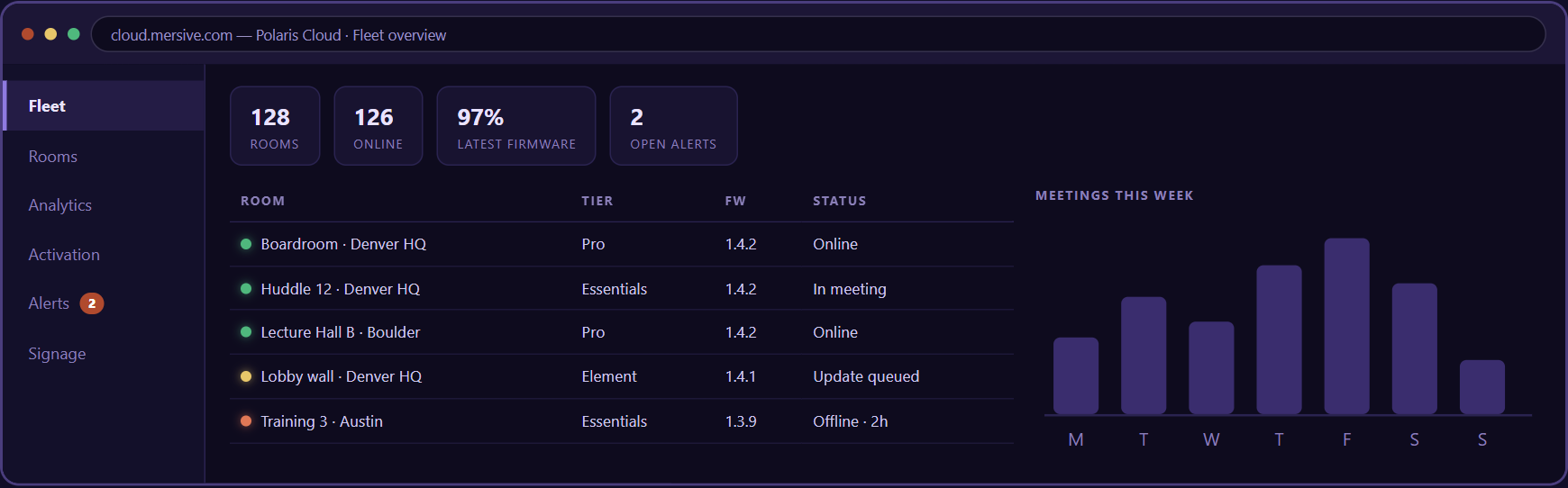
A cloud platform should reduce visits to individual rooms. Evaluate how administrators onboard endpoints, apply configuration, organize locations, monitor status, handle updates, and diagnose issues. Useful visibility should lead to action: which display needs attention, what changed, who owns it, and whether the problem affects signage, meetings, or both.
05Roles, approvals, and governance
Digital signage creates publishing power. Decide who can create content, approve it, schedule it, target locations, and change system configuration. A global communications team may own brand campaigns, while a site operator owns local welcome content and IT owns the platform. The permission model should reflect those responsibilities without giving every publisher administrative control.
06Security and data handling
Review identity, administrative access, encryption, content storage, logging, update mechanisms, endpoint hardening, and vendor access. If the platform displays web content or dashboards, assess credentials, tokens, browser behavior, and the consequences of exposing sensitive data in a shared physical space. Security includes the content itself: a technically secure system can still publish information to the wrong audience.
07Reliability and fallback behavior
Ask what appears if the endpoint loses internet access, content becomes unavailable, a schedule expires, or a display reboots. An approved fallback image is often better than an error page, stale dashboard, or blank screen. Test recovery behavior as well as normal playback.
08Integrations and automation
Some organizations need content from workplace systems, calendars, data dashboards, content libraries, identity providers, or service platforms. Define the required integrations and who will maintain them. An open API can be valuable, but only when ownership, security, and operational support are clear.
09Total operating model
Compare more than license price. Include players, adapters, mounting, installation, network changes, content production, support, replacements, training, governance, and the time required to operate multiple tools. A platform that reuses an existing room endpoint may simplify the fleet, but only if the signage experience meets the organization's real requirements.
Digital signage use cases for business
A strong use case has a defined audience, owner, action, and refresh cadence. 'Put something on the screens' is not a strategy.
- Welcome and visitor guidance: Show approved arrival messages, reception directions, and host instructions in relevant spaces.
- Wayfinding: Help people identify rooms, departments, floors, or event locations where the display placement supports navigation.
- Meeting-room instructions: Explain how to start a session, share content, contact support, or follow room etiquette.
- Internal communications: Publish approved company news, values, workplace reminders, or program updates to employee spaces.
- Operational dashboards: Display non-sensitive metrics that are designed for a shared audience and remain readable at room distance.
- Campaigns and events: Coordinate approved visual messages across selected sites and time windows.
- Space activation: Use otherwise idle meeting displays to reinforce the purpose of the room or support a local team workflow.
Digital signage should not be treated as an emergency-notification system unless the complete solution has been designed, tested, governed, and approved for that purpose. High-stakes communications require dedicated operational and compliance review.
How to build a digital signage business case
- Inventory the opportunity: Count candidate displays and record how they are used, managed, connected, and scheduled today.
- Choose a measurable communication goal: Improve room discoverability, reduce repeated support questions, increase campaign reach, or activate idle screens.
- Define content ownership: Assign creators, approvers, local operators, platform administrators, and escalation paths.
- Select a representative pilot: Include different buildings, room types, network conditions, and content owners.
- Measure operations as well as reach: Track publishing time, display availability, stale content, support effort, room handoff, and stakeholder feedback.
- Scale with governance: Standardize templates, targeting, review cadence, permissions, fallback content, and lifecycle responsibilities.
Be cautious with claims based on estimated impressions alone. A screen being on does not prove that a person saw, understood, or acted on the message. Use operational measures and targeted audience research to complement platform analytics.
Dedicated signage CMS or collaboration platform?
A dedicated content management system can be the right choice for sophisticated retail networks, menu boards, complex creative operations, audience analytics, or specialized integrations. A collaboration platform with signage may be a better fit when the priority is to activate meeting-room displays, keep the meeting workflow primary, and manage rooms and idle-screen content through a common administrative model.
- Primary job of the screen. Dedicated signage platform may fit: Continuous customer-facing or campaign content. Collaboration platform with signage may fit: Meetings first; approved content between sessions.
- Creative complexity. Dedicated signage platform may fit: Advanced layouts, feeds, dayparts, and campaign workflows. Collaboration platform with signage may fit: Focused workplace messages, instructions, dashboards, or wayfinding.
- Endpoint strategy. Dedicated signage platform may fit: Purpose-built players or signage devices. Collaboration platform with signage may fit: Reuse a supported room or collaboration endpoint.
- Administration. Dedicated signage platform may fit: Separate signage operations team. Collaboration platform with signage may fit: IT, AV, workplace, and communications share governance.
- Key integration. Dedicated signage platform may fit: Commerce, menu, audience, or media systems. Collaboration platform with signage may fit: Meeting rooms, room management, and workplace operations.
These models can coexist. The goal is not to force every screen into one tool; it is to choose the least complicated operating model that meets the use case.
How Mersive Polaris approaches meeting-room signage
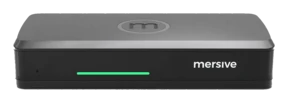
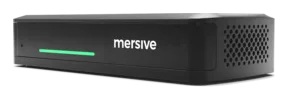
Mersive Polaris treats signage as another use for the meeting-room display, not as a separate island. The same room endpoint that supports collaboration can present approved content while the room is idle, then return the display to the meeting experience when work begins. Polaris Cloud is positioned as the common management layer for the room fleet.
That approach is most relevant to organizations that want to activate existing meeting displays without losing sight of their primary job. Buyers should confirm the released content formats, scheduling controls, targeting, roles, status visibility, handoff behavior, and hardware support against their requirements. A focused room-signage capability should be evaluated on its actual scope, not assumed to replace every enterprise signage platform.
What is cloud-based digital signage?
Cloud-based digital signage uses a centralized online management service to control supported endpoints, content, schedules, permissions, and status across locations. The display still needs an endpoint or embedded player capable of receiving and presenting that content.
Can meeting-room TVs be used for digital signage?
Yes, when the room hardware and signage platform support the use case. The design should keep meetings primary, provide a clean transition between signage and collaboration, and avoid exposing credentials or sensitive information on a shared display.
What content works well on workplace digital signage?
Content that is brief, readable at a distance, relevant to the location, and tied to a clear action works best. Welcome information, wayfinding, room instructions, approved internal messages, and carefully selected dashboards are common examples.
How do you measure digital signage performance?
Measure both operations and outcomes. Operational measures include endpoint availability, successful publishing, stale content, support effort, and room handoff. Outcome measures depend on the goal and may include fewer navigation questions, improved process compliance, campaign recall, or employee feedback.
Is digital signage software the same as a CMS?
Many digital signage platforms include content-management capabilities, but depth varies. Some are full creative and campaign systems; others provide focused scheduling and publishing for defined screens. Buyers should evaluate the required workflow instead of assuming the label guarantees a specific feature set.